Beta

This is a new service and pages are being tested and improved.

Overview

The cookie banner component asks users for consent to set cookies, including analytics and third-party cookies. It ensures compliance with privacy regulations and follows government design best practice by presenting choices neutrally.

Use the cookie banner to inform users about cookies that are not strictly necessary, and to give them clear options to accept, reject, or manage cookie settings. The banner must appear prominently on first visit and only disappear when the user makes a choice.
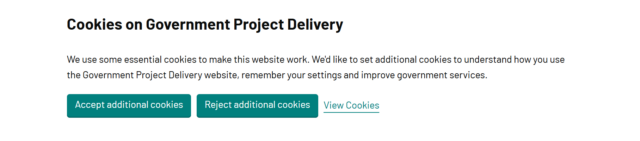
Example

A cookie banner with the heading ‘Cookies on Government Project Delivery.’ Below, text explains that essential cookies are used and asks for consent to set additional cookies to understand usage, remember settings, and improve services. Three buttons are displayed: ‘Accept additional cookies,’ ‘Reject additional cookies,’ and a link labeled ‘View Cookies.’

When to use

The cookie banner is applied to every page if it’s an user’s first visit to the website.

You might not need a cookie banner only when additional cookies are not used on the page or section.

Back to top