Beta

This is a new service and pages are being tested and improved.

Overview

Side navigation provides structured access to page sections or related content, appearing alongside the main content area.

It helps users understand content organisation and navigate efficiently within long pages or related content groups.

Use side navigation when users benefit from seeing an overview of available sections and need quick access to specific content areas.
Example

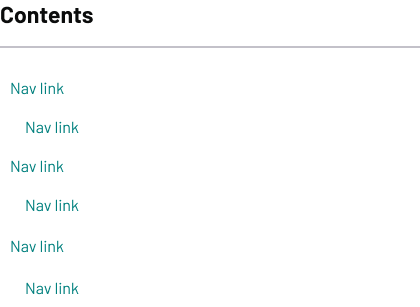
Contents section with a heading ‘Contents’ followed by a vertical list of navigation links. Each link is labeled ‘Nav link,’ with some indented to indicate sub-links.

When to use

Use a left-aligned contents side navigation on every document page.

Use a right-aligned related pages side navigation when you need to:

  • help users navigate between related pages within a service or topic area
  • provide quick access to supplementary or related content
  • show the structure and organisation of complex content
  • support scanning and selective reading of detailed guidance

When not to use

Don’t use side navigation when other navigation patterns work better.

Use step by step accordion instead when:

  • content follows a sequential process that users should complete in order
  • users need guidance about dependencies between steps

Content notes

Write clear, scannable navigation that helps users find relevant content quickly.

Contents menu

Create navigation that reflects your page structure effectively:

  • ensure page headings are self-explanatory and follow heading best practice – navigation links will mirror these headings
  • use descriptive headings that work both on the page and as navigation items
  • keep heading text concise but specific enough to distinguish between sections
  • maintain consistent heading hierarchy (H2, H3, etc.) that creates logical navigation structure

Related links menu

Write helpful links to supporting content:

  • use clear, front-loaded link text that describes the destination content
  • group related links together logically
  • keep link labels concise but descriptive
  • prioritise most relevant or frequently needed links
Back to top